It is so important to use your social media to spread the word about your challenge!
Let friends and family know what you’re doing and don’t be afraid to ask for their support. By sharing your story, you can connect with your donors and show your progress.
Sharing your fundraising journey on social media is a great way to engage with your family and friends in achieving your goal. Fundraising alone is a challenge and you can bring your donors along for the ride as you prepare with training, logistics, and everything in between! Get people invested in your journey and donations will follow.
Share Your Story on Social Media
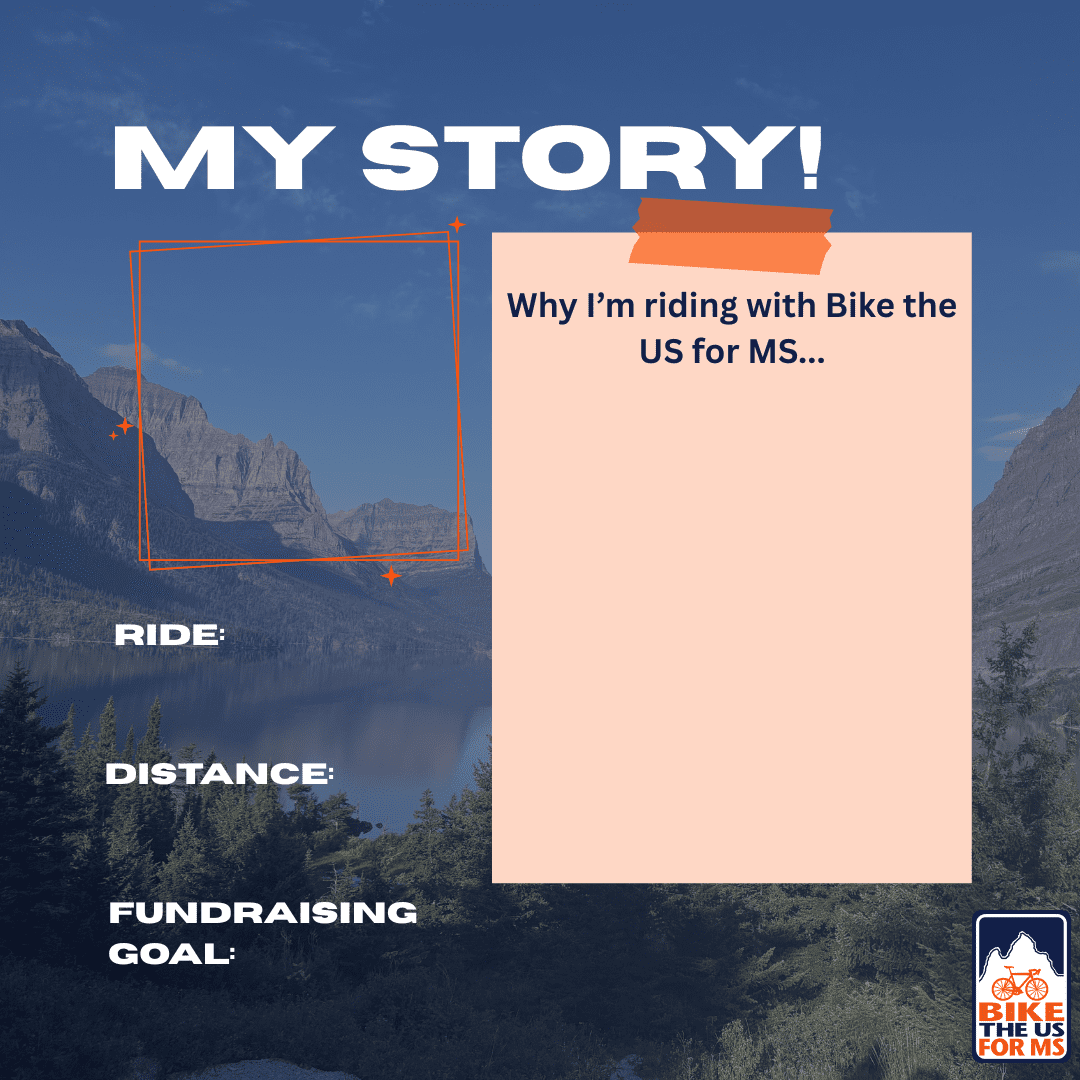
You can share your story however you would like, but we’ve made it simple to get started. Just download our post template and fill in your story!
- Insert a photo of you in the box!
- Let people know what ride you are doing: Trans America, Pacific Coast, Northern Tier, Bike Ride Florida, Grand Canyon & Zion, Olympic Peninsula, Florida Keys
- The distance you are taking on.
- Your fundraising goal.
- Your story! Use the P-T-A-I framework (mentioned in our previous blog) and you could use the previous ‘fill-in-the-gaps’ template.
How to edit the template on Instagram
- Click ‘+’ → Select the template from your camera roll
- Click ‘Text’ → Fill in the information (e.g. TransAmerica, 3785 miles, $5,675)
- To edit font:
- Click the ‘Aa’
- Hold and drag on the left side to change font size or pinch the text
- Tap the colour wheel to change the colour
- Tap ‘Done’ in the top right corner
- It’s easier to create a new piece of text for each section so you can move them individually
- Repeat the steps so that you have filled in all sections
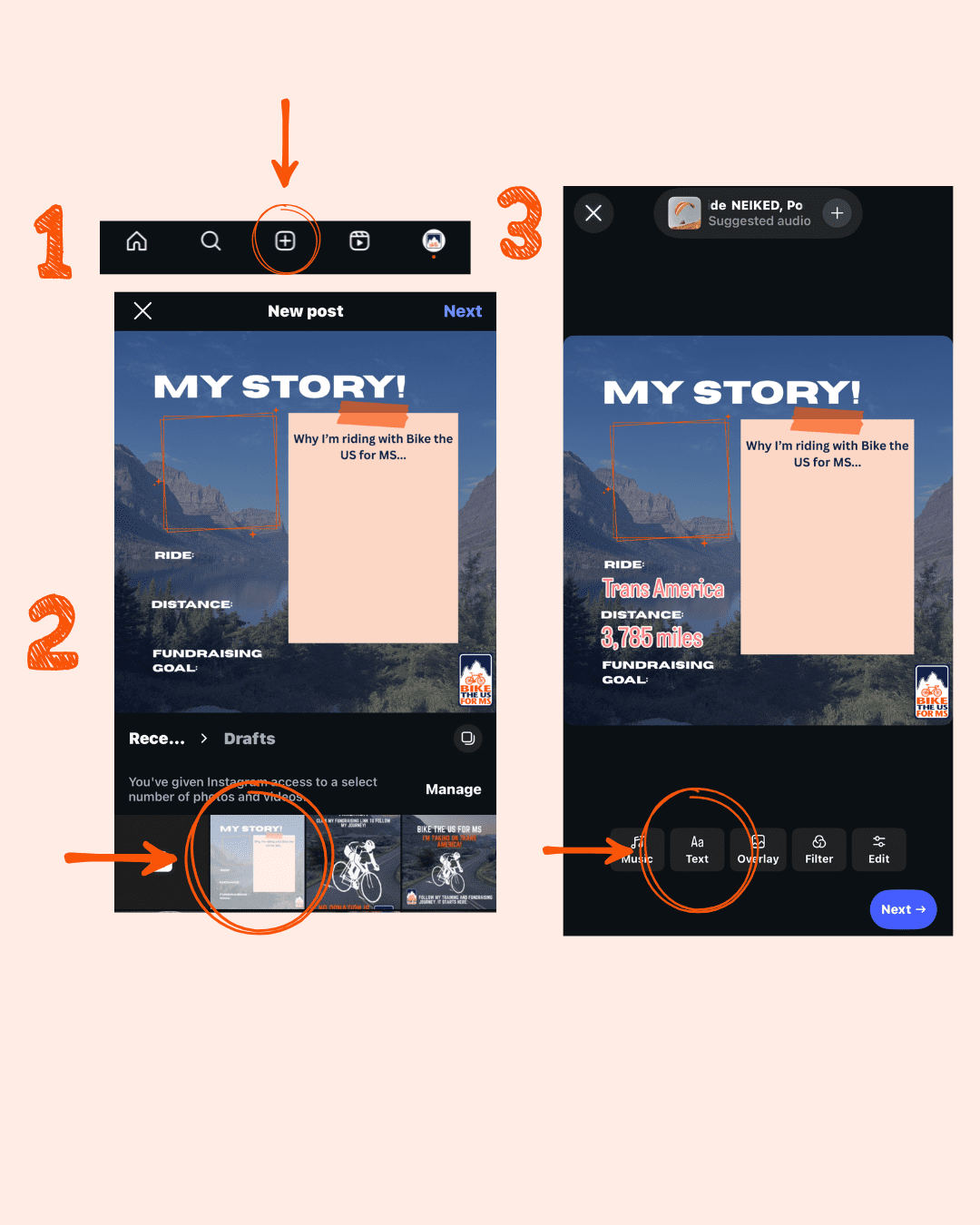
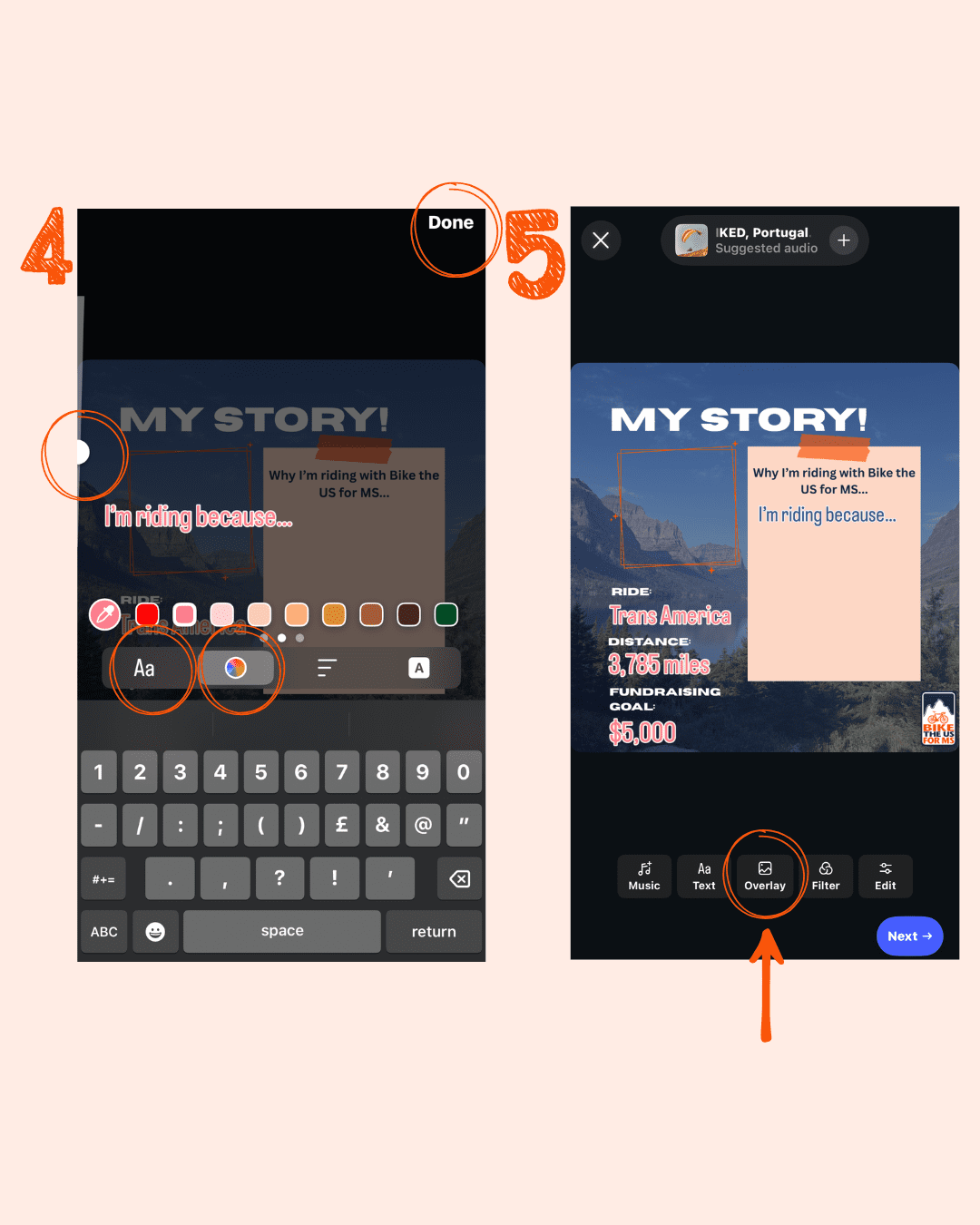
- To add a photo, Tap ‘Overlay’
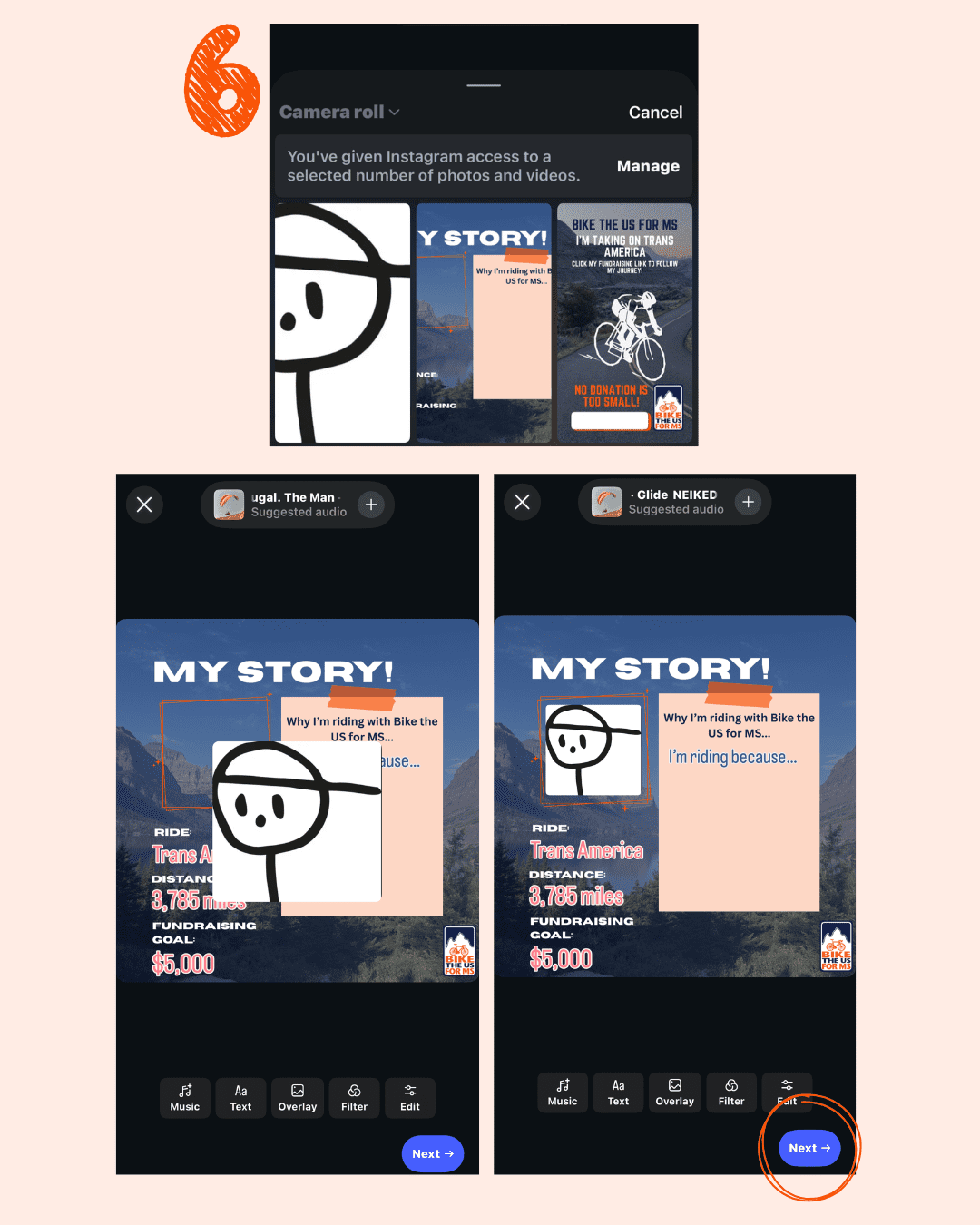
- Overlay → Select your photo → Pinch it to resize and move to the photo frame in the top left
- Now it’s ready to post! Tap ‘Next’
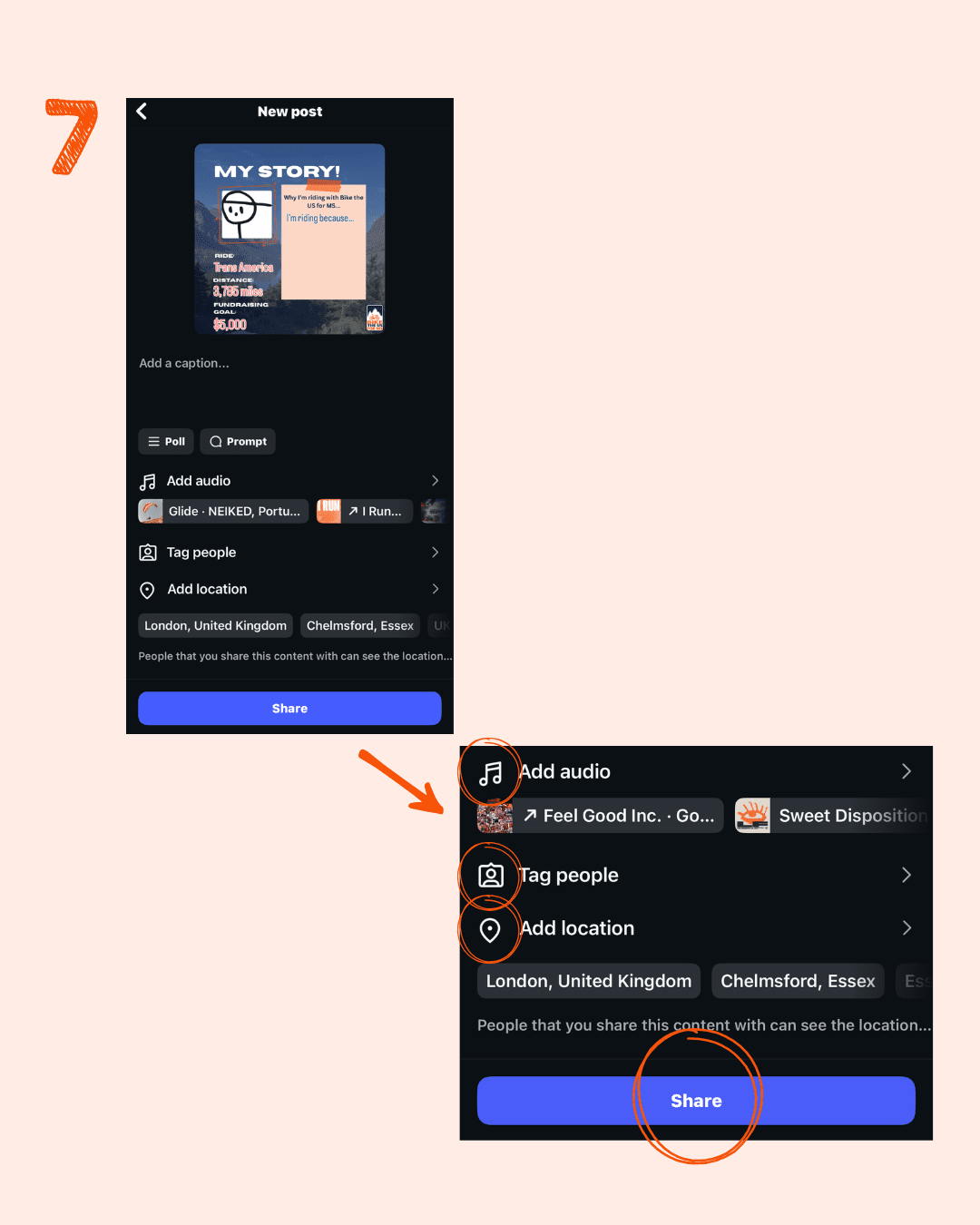
- Here you can add a caption and audio to your post.
- Make sure to tag us (@biketheusforms) so we can see your post too!
- You can also add a location to your post.
- Now you can tap ‘Share’ to post your story
How to edit the template on Facebook
- Click ‘Edit’’ → ‘Aa’ → Fill in the information (e.g. TransAmerica, 3785 miles, $5,675)
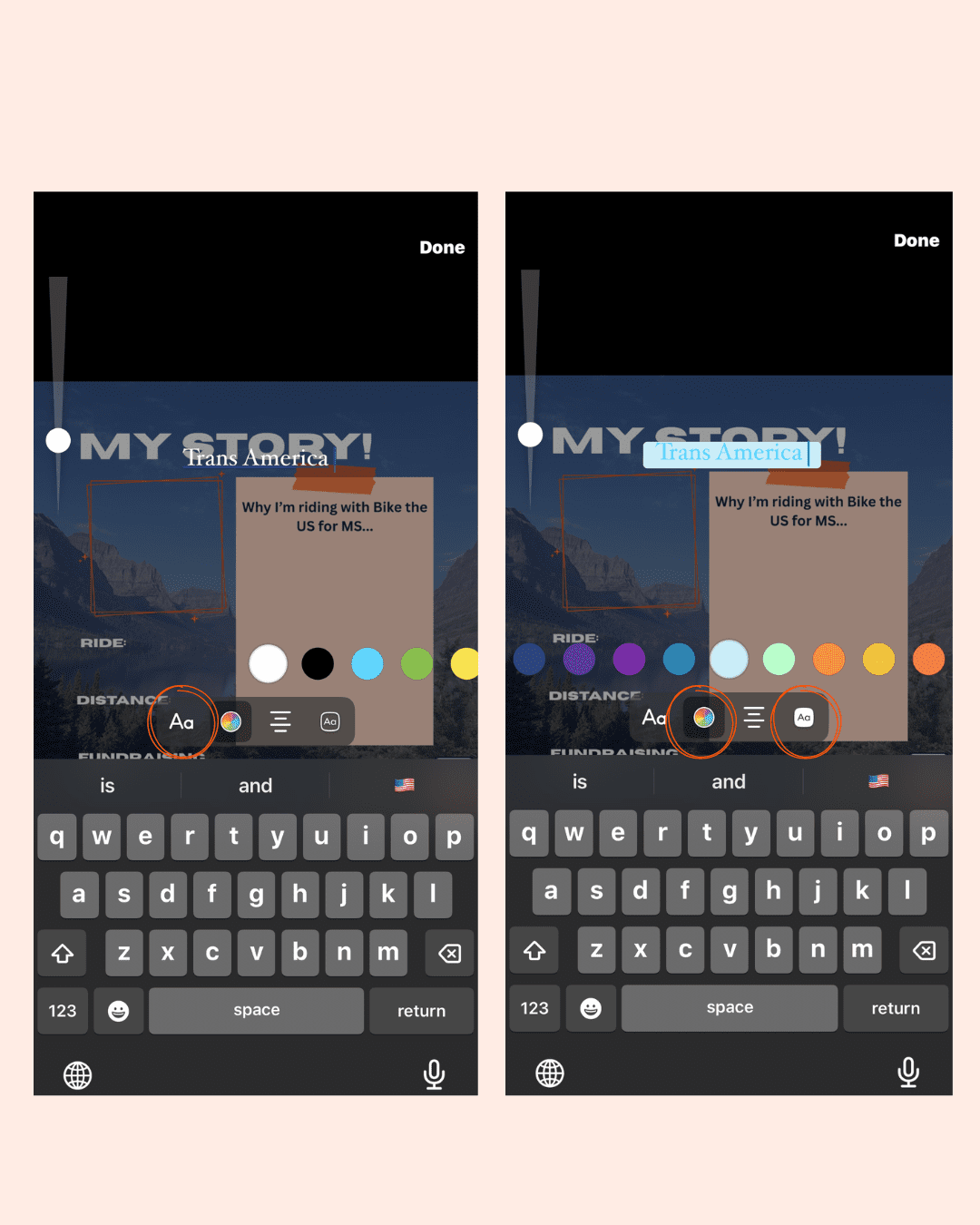
- To edit font:
- Click the ‘Aa’
- Hold and drag on the left side to change font size or pinch the text
- Tap the colour wheel to change the colour
- Tap ‘Done’ in the top right corner
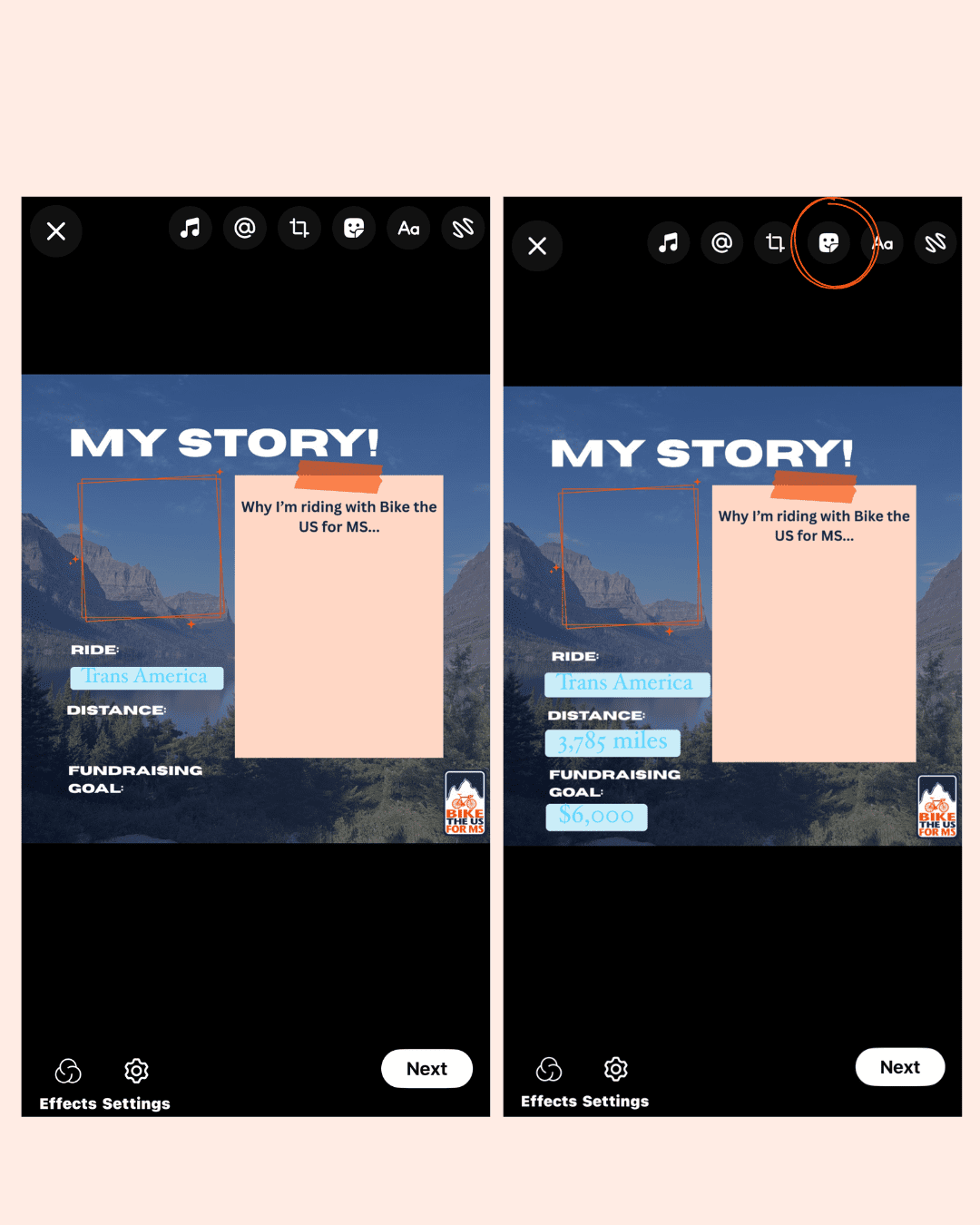
- It’s easier to create a new piece of text for each section so you can move them individually
- Repeat the steps so that you have filled in all sections
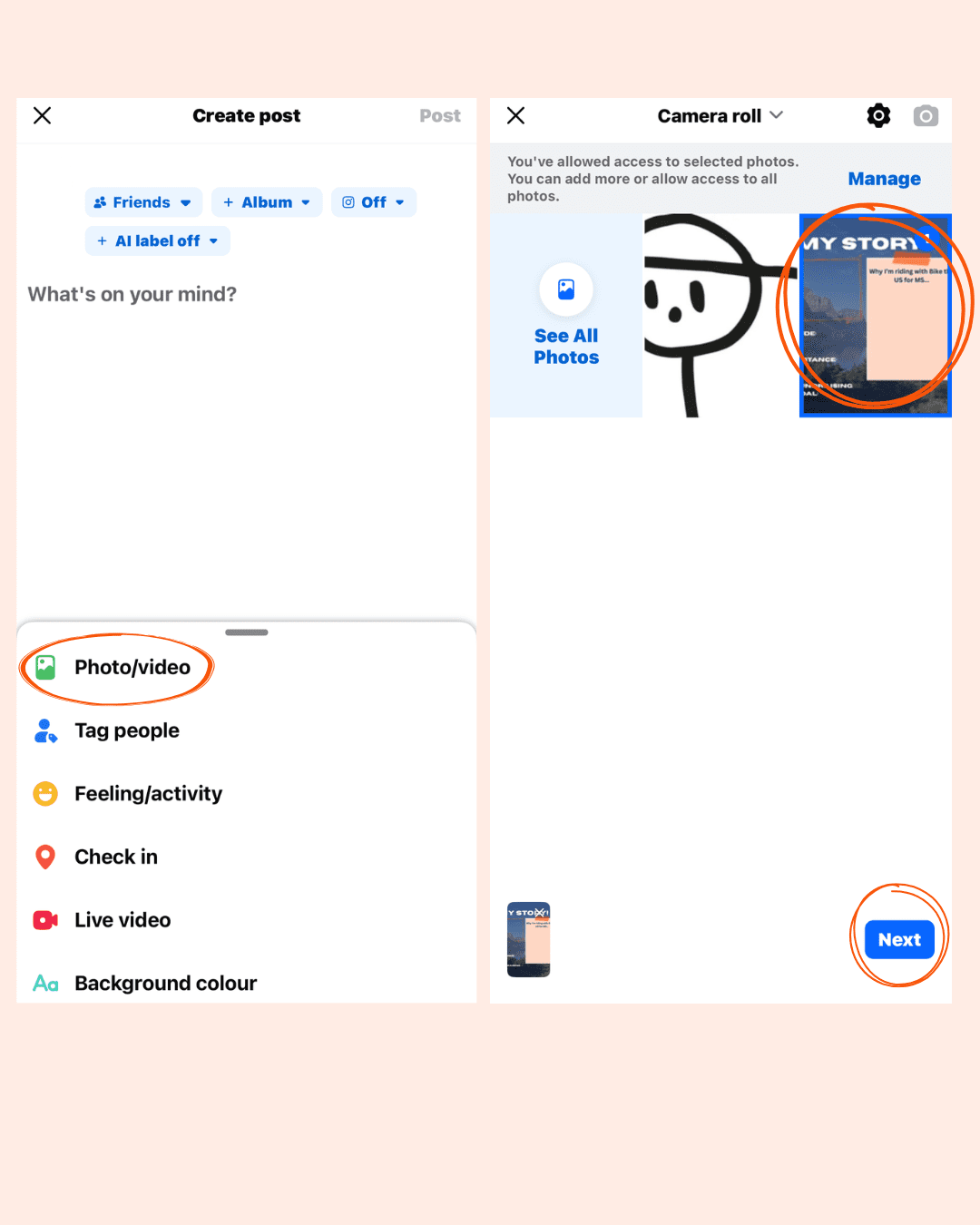
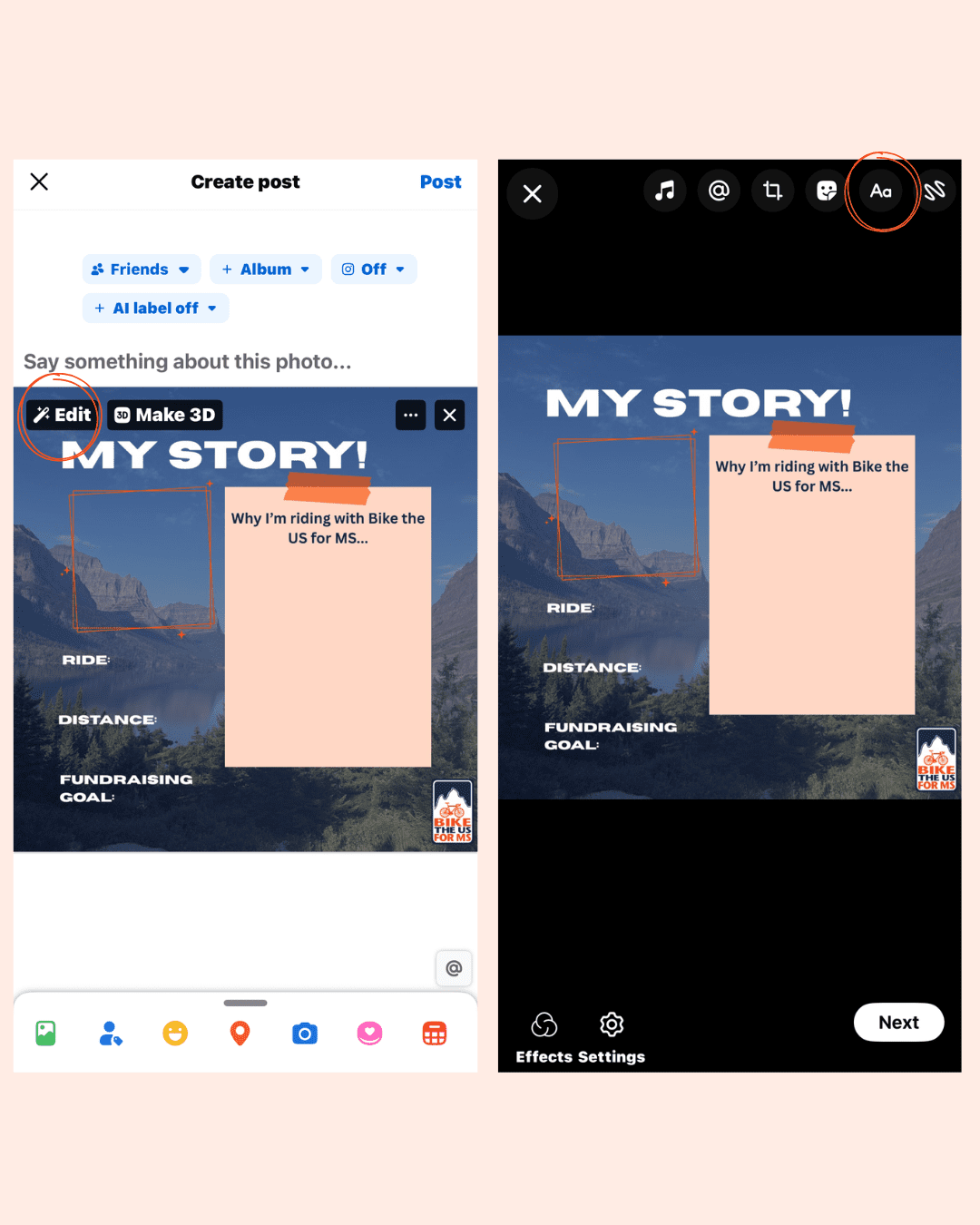
To add a photo:
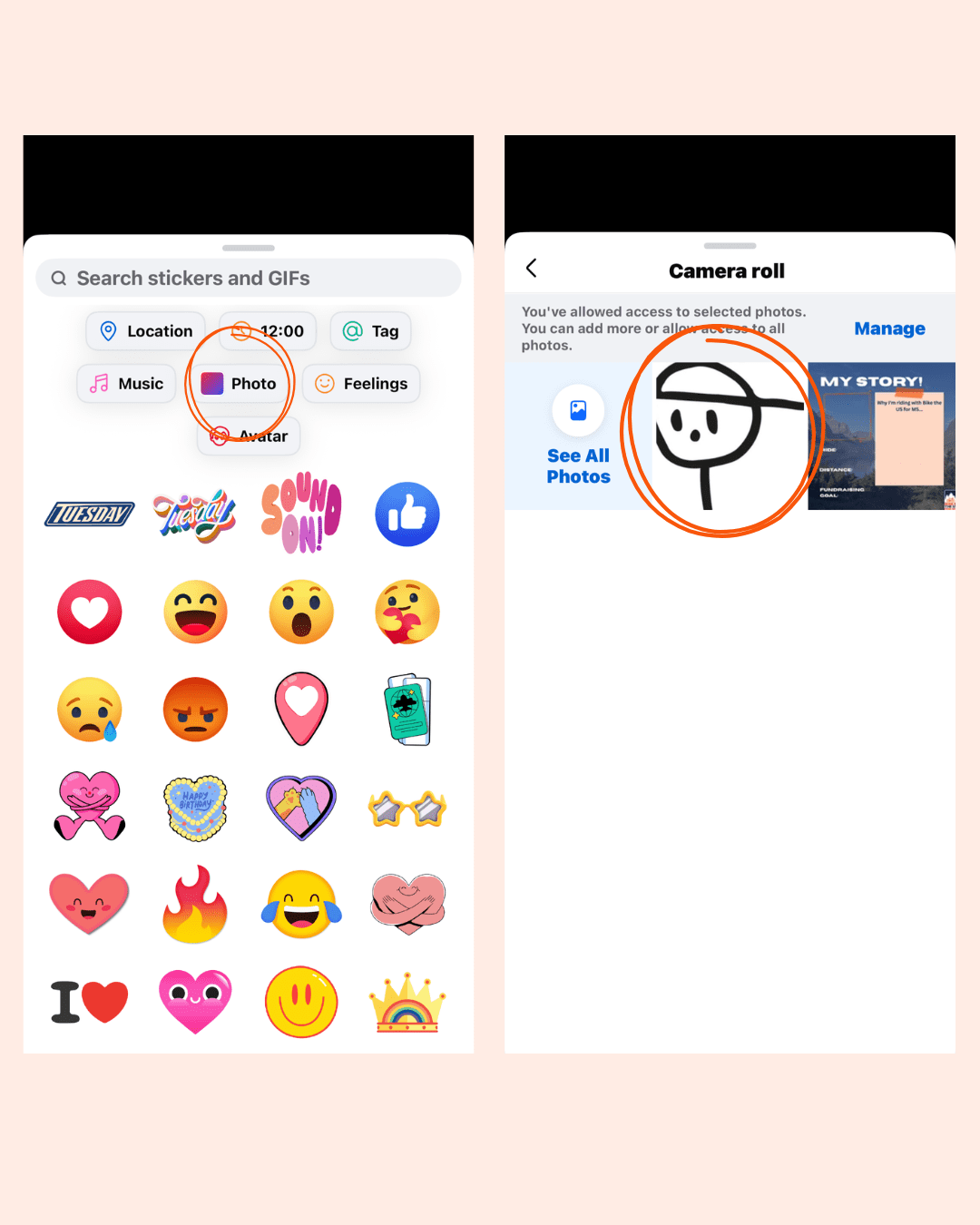
- Tap the square smiley face sticker icon → ‘Photo’ → Select photo from camera roll → Pinch it to resize and move to the photo frame in the top left.
- Make sure to tag us (@biketheusforms) so we can see your post too!
- You can also add a location to your post:
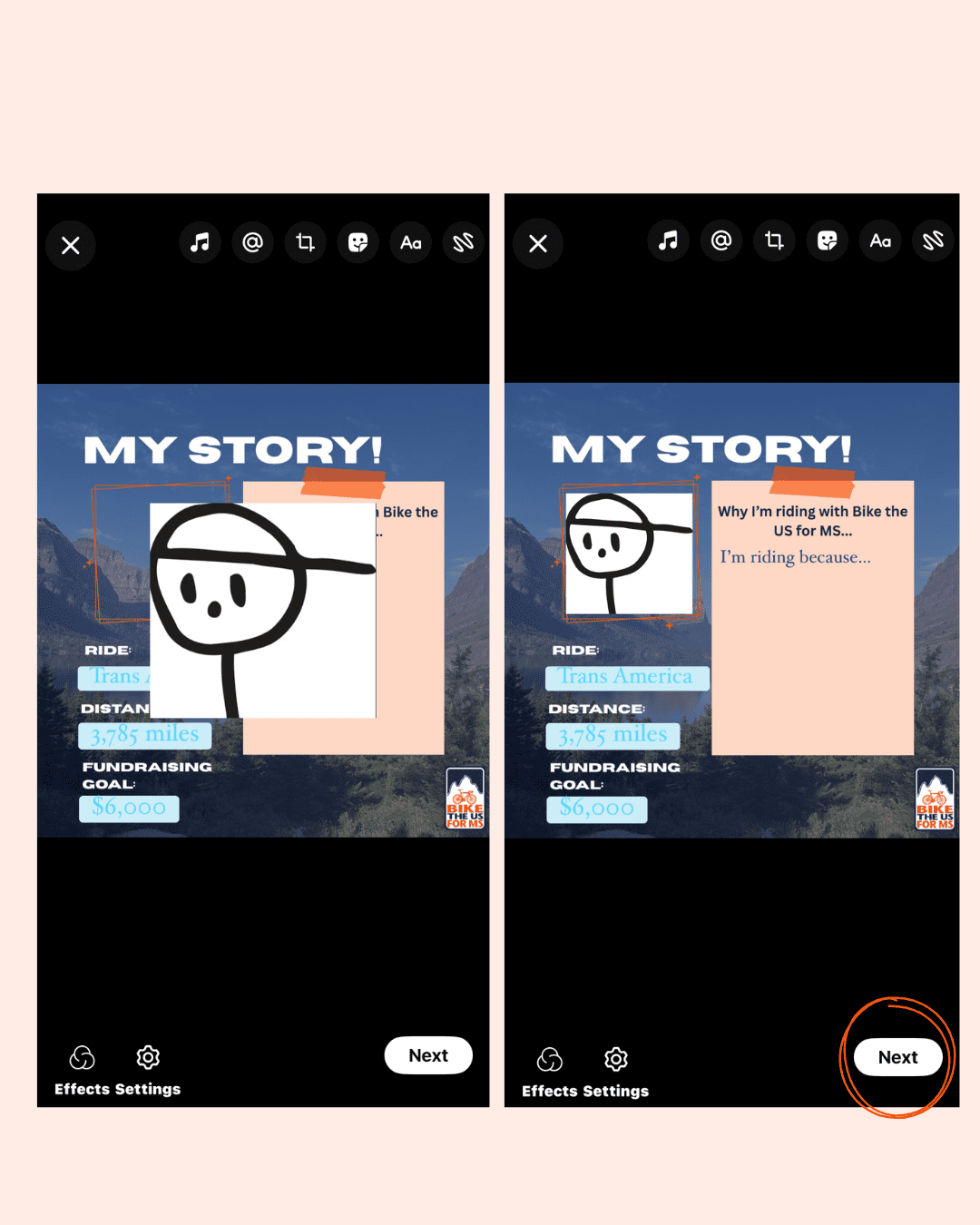
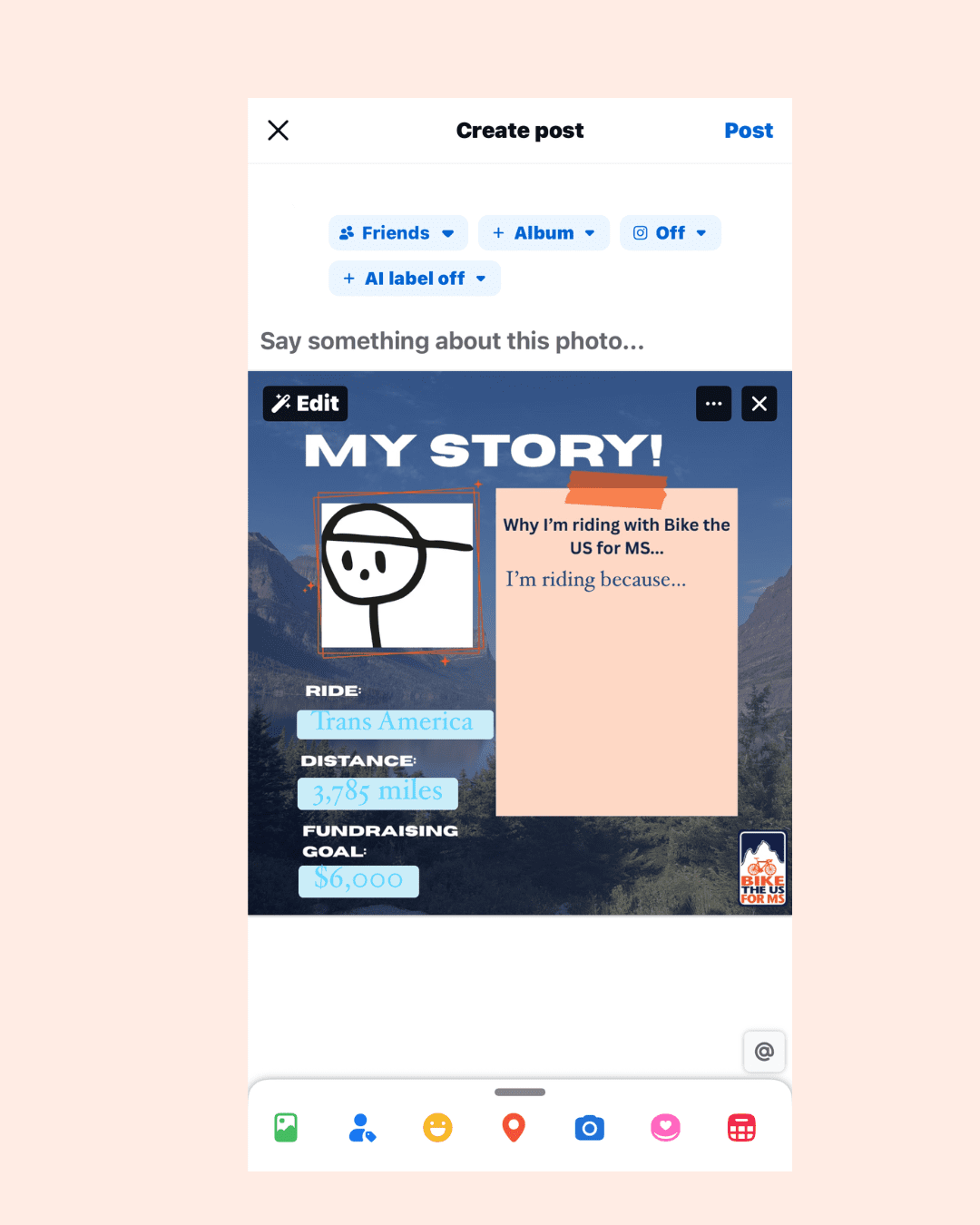
Now it’s ready to post! Tap ‘Next’
- Add a sound to your post:
- Add a caption to your post
- Now you can tap ‘Post’’ to share your story
If you don’t have the means of editing the template, get in touch and we can help!
Instagram Story template
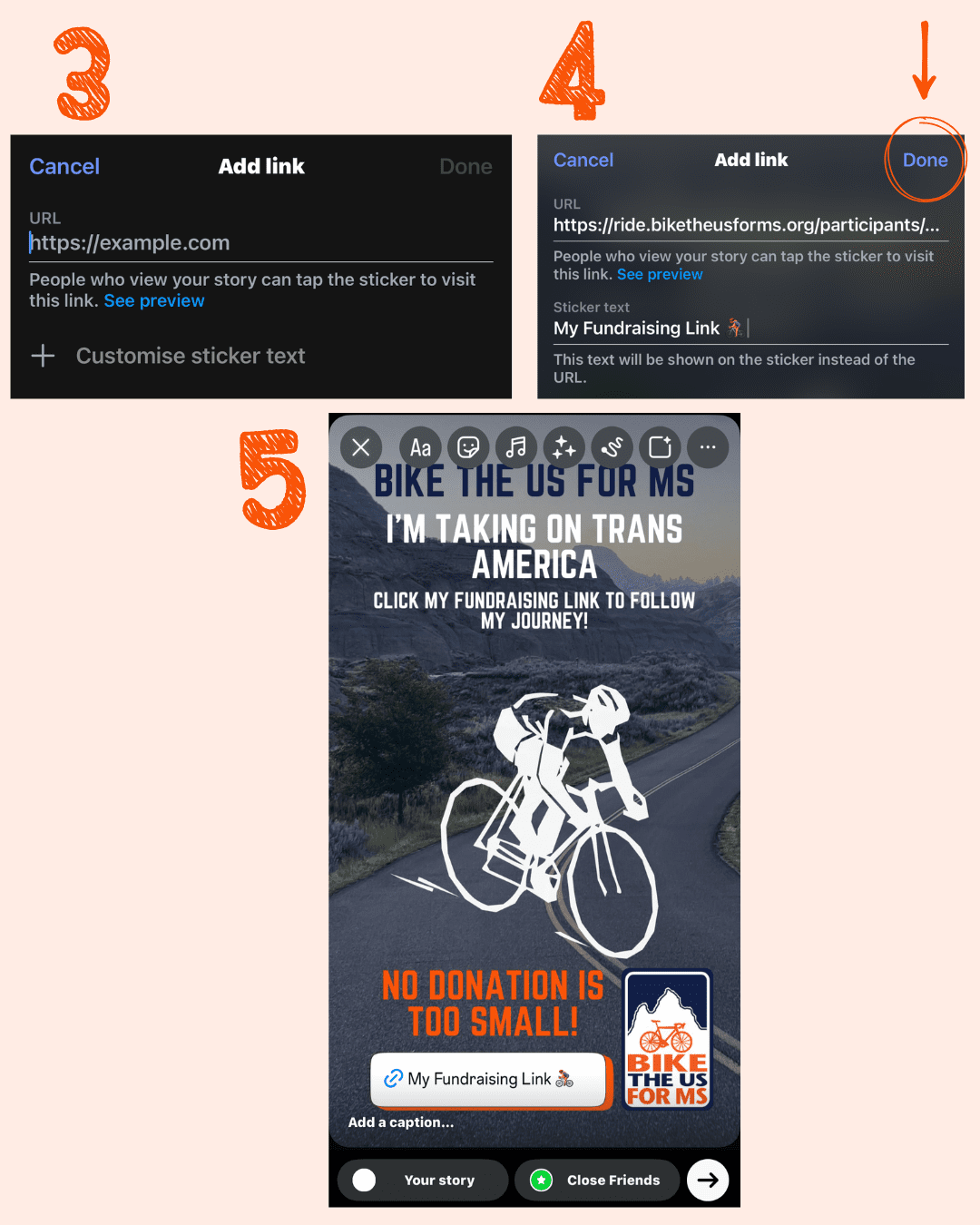
Need some ideas of how to share your profile link? We’ve created an Instagram story template for each route that you can use!
- Click the smiley face sticker → Link
- Fill in your link → Customise sticker text → Type in what you want the sticker to say (e.g. My fundraising link 🚴♀️) → Click ‘Done’
- Place the sticker into the box provided and post to ‘Your story’
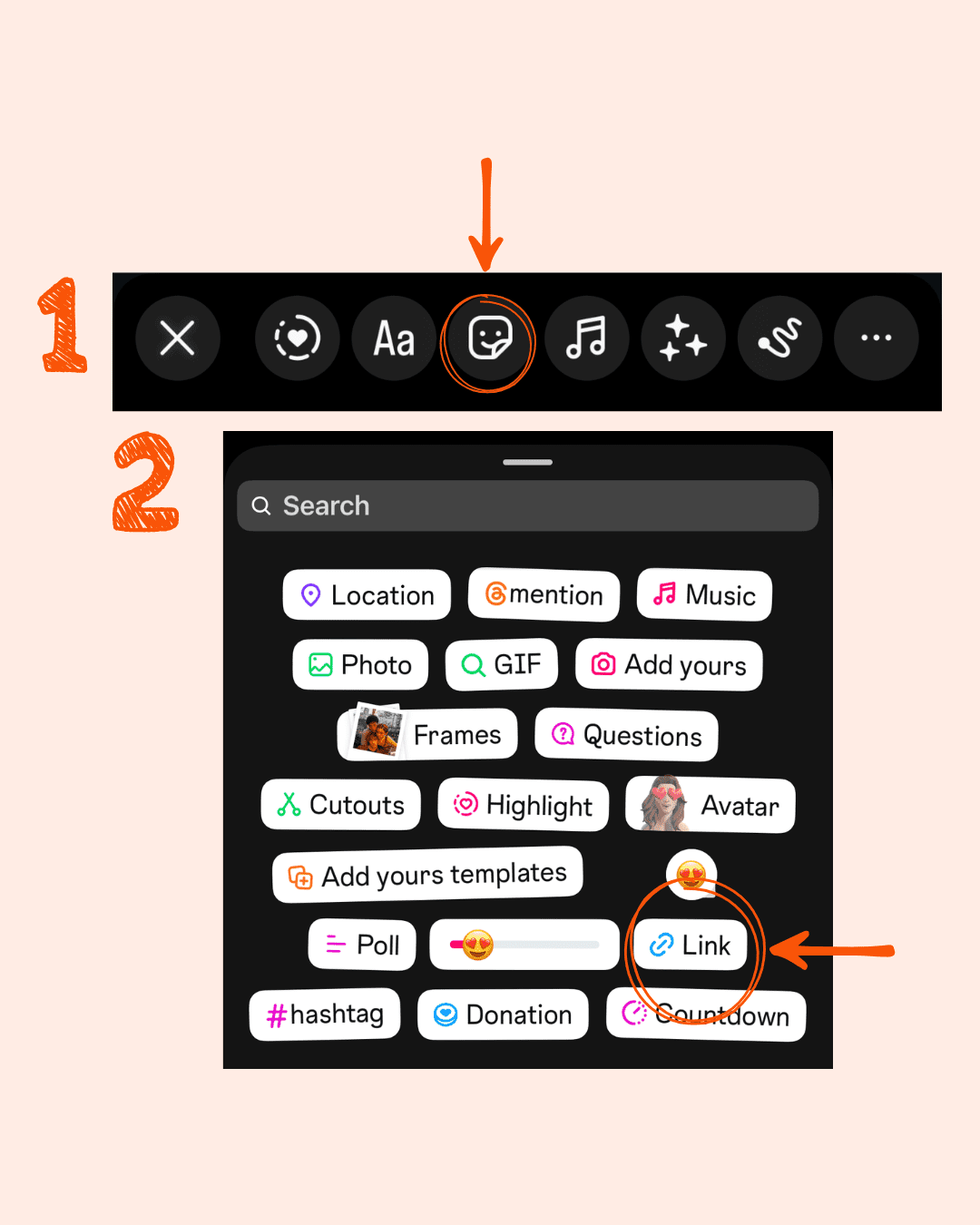
We’ve also made a similar post template you can download here. Share with your followers by just adding a caption and tagging us (@biketheusforms)!
Text/ Whatsapp/ Direct Message
Let your friends and family know that their support means a lot. Spread the word of your new adventure!
- A copy-paste message for Text/WhatsApp/DM
- “Hey! I’ve just signed up to ride with Bike the US for MS to support people living with MS. I’m aiming to raise $___ and would love your first donation to get me started. Any amount helps a lot. Thank you! [your fundraising link]”
Hopefully, we’ve given you some inspiration and helpful info on how to use your social media to share your fundraising journey! Make sure to use our templates and tag us in your posts. We can’t wait to see them! If you need more help with fundraising, be sure to check out our new series of fundraising blogs here.